
How to Build a Cleaner, More Reliable USB-C Workspace

How to Build a Cleaner, More Reliable USB-C Workspace
A well-designed USB-C workspace can do more than make your desk look better. The right combination of hubs, docking stations, chargers, cables, and ergonomic accessories can reduce clutter, simplify everyday connections, and make it easier to move between home, office, and hybrid work environments.
Start With the Connections You Actually Need
USB-C has become one of the most useful connections in modern workspaces because a single port can potentially handle charging, displays, peripherals, networking, and data transfer. But that does not mean every USB-C setup should look the same.
Before adding accessories to your desk, think about what you connect on a normal workday. Do you use one monitor or two? Do you need wired Ethernet? Are you regularly connecting external storage, a keyboard, a mouse, or other USB devices? Does your laptop need to charge while everything else is connected?
Answering those questions first can help you avoid buying unnecessary adapters and create a workspace that is simpler and more dependable.
4 Ways to Simplify Your USB-C Workspace
Consolidate Connections With a USB-C Hub
If you only need a handful of extra connections, a compact USB-C hub can replace several individual adapters. Look for a hub that combines the ports you use most often, such as HDMI, Ethernet, USB-A, and USB-C.
Use a Docking Station for a Permanent Desk Setup
A docking station is ideal when your desk includes multiple monitors, peripherals, networking, and power. Instead of reconnecting several cables every time you sit down, a dock can centralize those connections around your laptop.
Keep Power Separate and Reliable
Even when your hub or docking station supports charging, it is important to make sure your laptop receives enough power. A properly rated USB-C laptop charger can provide dependable power while reducing the need for multiple device-specific chargers.
Improve the Physical Layout of Your Desk
Cable organization is only part of a clean workspace. Raising your laptop can create more usable desk space while helping position the screen closer to eye level. A laptop stand can also make it easier to route cables toward a dock or hub instead of across the middle of your desk.
USB-C Hub or Docking Station: Which Should You Use?
One of the most common USB-C workspace questions is whether you need a hub or a docking station. Both expand the connectivity of a USB-C laptop, but they are typically best suited to different types of setups.
- Choose a USB-C hub if you want a compact, portable way to add a few essential connections.
- Choose a docking station if you are creating a permanent workstation with multiple displays and several connected peripherals.
- Look for Power Delivery if you want compatible devices to charge through the same USB-C connection.
- Check display requirements before choosing a hub or dock, especially when using multiple high-resolution monitors.
Why a Cleaner Workspace Can Also Be More Reliable
A cleaner USB-C setup is not just about appearance. Every extra adapter, extension, or unnecessary connection creates another point where something can become disconnected or cause confusion.
Centralizing your equipment around one hub or docking station makes it easier to identify which device is connected where. It can also reduce the amount of plugging and unplugging required throughout the day.
The same principle applies to charging. Using a USB-C charger with sufficient wattage for your laptop helps ensure that your device receives the power it requires while you work.
Think of USB-C as the Center of Your Workspace
Instead of connecting every monitor, peripheral, network cable, and charger independently, build your workspace around a central USB-C connection. The goal is simple: connect your laptop, get to work, and disconnect just as easily when it is time to leave.
Build Your USB-C Workspace
Whether you need a compact hub, a full docking station, reliable USB-C power, or a cleaner laptop setup, these accessories can help simplify your workspace.
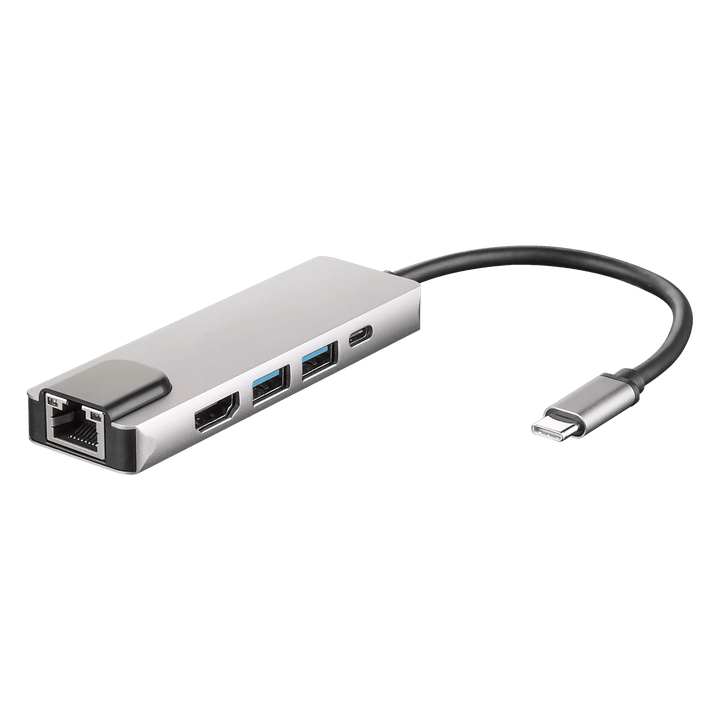
4XEM 5-in-1 HDMI, RJ-45, USB 3.0, USB-C Hub
Expand a USB-C laptop with useful everyday connections including video, networking, and USB connectivity in one compact hub.
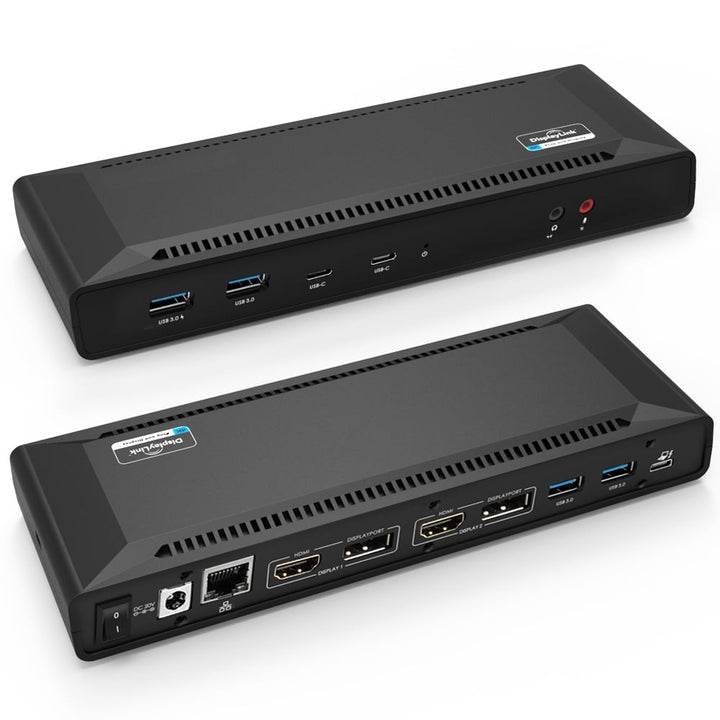
4XEM USB-C Dual 4K Docking Station with Power Delivery
Create a more complete workstation with support for multiple displays, peripherals, connectivity, and compatible USB-C Power Delivery.
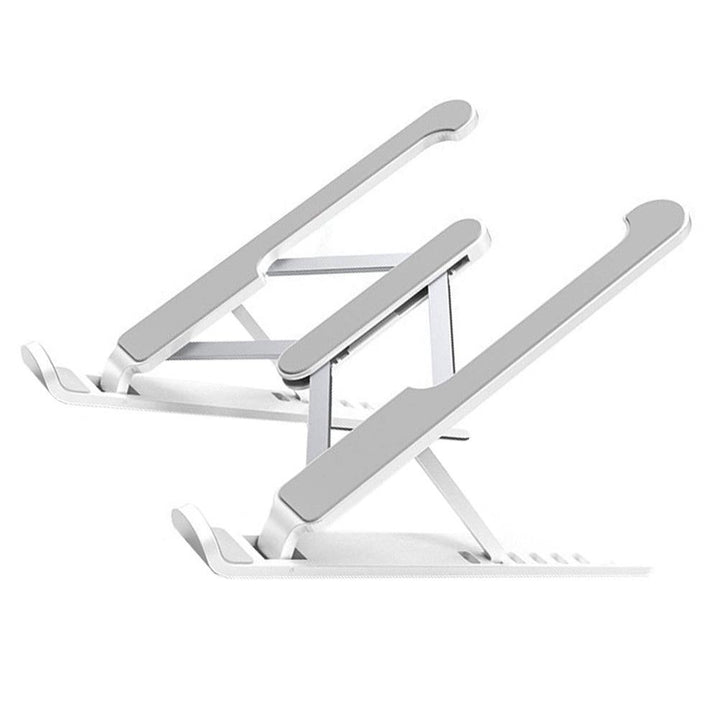
4XEM Adjustable Metal Laptop Stand
Elevate your laptop and create a cleaner desk layout while making more room for a keyboard, mouse, hub, or docking station.
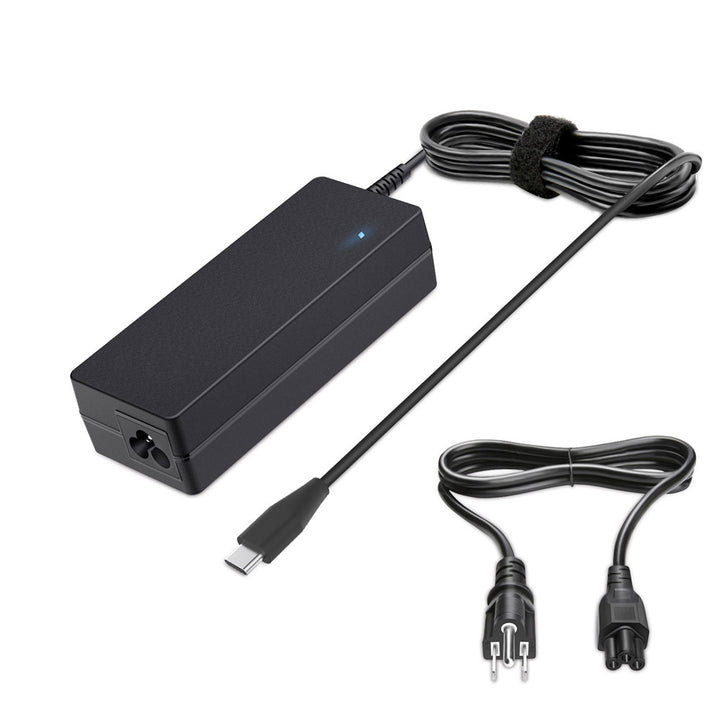
4XEM 90W USB-C Laptop Charger
Add dependable USB-C power to your workspace with a 90W charger designed for compatible USB-C laptops and devices.
Build Around Simplicity
The best USB-C workspace is not necessarily the one with the most accessories. It is the one that gives you the connections and power you need without creating unnecessary clutter.
Start with your laptop, displays, power requirements, networking, and everyday peripherals. From there, choose a hub or docking station that brings those connections together and use accessories such as a laptop stand and USB-C charger to create a setup that is easier to use every day.
With the right USB-C accessories, a workspace can be cleaner, easier to manage, and ready for the way you actually work.
Upgrade Your Workspace With 4XEM
Explore USB-C hubs, docking stations, chargers, cables, and workspace accessories designed to simplify modern device setups.
Contact 4XEMTrusted by


